

Service Proposals, deposits and Service Invoices
From the fault you found to the invoice paid.
A dim fixture in the plaza fountain, or a year of weekly service visits: write one Service Proposal; your client approves it via a link, the deposit arrives before you order the part, and once the work is done the Service Invoice is built from those same lines.
Service Proposal · sample
LED fixture 6 · Plaza fountainCentral plaza · a city hotel and office group
- Submersible LED fixture$640
- Lower the water, fit and reseal$380
- Refill and lighting check$180
- Total$1,200
- Deposit on approval (30%)$360
From the proposal to paid
One repair, one record, from the opening price to the final payment.
Follow the fixture replacement along its record. Each line is priced a single time and never typed again, and your client sees nothing until you send it.
- Price the repairThe fixture, the labor to lower the water, fit and reseal it, and the lighting check: give each line a fixed price, or bill by the hour where the work can’t be sized yet.
- Send the Service ProposalTurn the job into a proposal, and your client receives an email linking to every line and the deposit. Asking for approval is your call: for routine work you can skip it and book the job straight onto the calendar.
- Your client approvesOn a phone or at a desk, your client approves or declines with a reason. You can see when it was opened and what was picked.
- The deposit, before the part is orderedOptional, and set per job: a fixed sum or a percentage of the price. With one, the job holds at Awaiting Deposit until your client pays, then joins the Service Calendar.
- Start the workOn the day, press Start work. Your client gets an automatic email that the work at the plaza fountain has begun.
- Complete itPress Complete once the fixture is in and the lighting check passes on the water feature’s record. Your client is emailed that it’s done — and the Service Invoice opens, already filled in.
- The Service Invoice is readyBuilt from the same three lines, the deposit already deducted. Review it, then send it with a single click.
- Paid in fullThe balance is logged against the invoice, and an email confirmation goes to your client.
JobLED fixture replacementPlaza fountain · Central plaza Approval PendingAwaiting DepositScheduledWork In ProgressCompletedPaid
DetailsProposalPaymentsInvoiceHistory
- Submersible LED fixture$640
- Lower the water, fit and reseal$380
- Refill and lighting check$180
- Deposit · 30%$360DuePaid
- Balance$840DuePaid
- Subtotal$1,200
- Deposit paid−$360
- Balance due$840
- Subtotal
- $1,200
- Deposit (30%)
- $360
- Balance after deposit
- $840
Service Invoice · from the jobReview & sendService Invoice · sentPaid
Illustration · invented client · sample data. Amounts change with the market picked at the top of the page.
After the balance is paid
A thank-you, with the paid invoice attached.
Once your client pays the balance, an email from your company thanks them and carries the Service Invoice, stamped paid: the receipt the hotel’s accounts team files. Open the attachment to see what they see.
- From:
- Your company
- To:
- Facilities manager · a city hotel and office group
- Subject:
- Your company - Payment received
Your company
✓Paid
Hello,
Thank you for your business. Your payment for the LED fixture replacement at the plaza fountain has arrived, and the Service Invoice is now paid in full.
- Payment date
- Fri, Oct 23
- Payment method
- Card online
- Amount paid
- $840
- Remaining balance
- $0
Any questions about this payment? Just reply to this email.
Service Invoice · INV-2041LED fixture replacement
Plaza fountain · Central plaza
- Submersible LED fixture$640
- Lower the water, fit and reseal$380
- Refill and lighting check$180
- Total$1,200
- Deposit paid · card online · Oct 12−$360
- Balance paid · card online · Oct 23−$840
- Balance due$0
Sample email and Service Invoice · invented client · amounts follow the market picked at the top
Work Record · optional, yours to send
Proof of every job, ready the moment your client asks.
When a job is done, its Work Record is already written: each step as it was logged, before and after photos, the parts fitted and the time on site. Keep it on the water feature’s record, or send it to your client — when they ask for it, or whenever the work deserves to be seen. Nothing goes out on its own, and the Service Invoice never waits for it.
- Written as the job is logged — nothing to type up back at the office
- Sent only when you decide: on request, or at will
- Every record stays in the water feature’s history, sent or not
Every Work Record also feeds the month’s Water Feature Report
Work RecordLED fixture replacementPlaza fountain · Central plaza · Tue, Oct 20 · MarcoReady · not sentSent to client · 4:52 pm
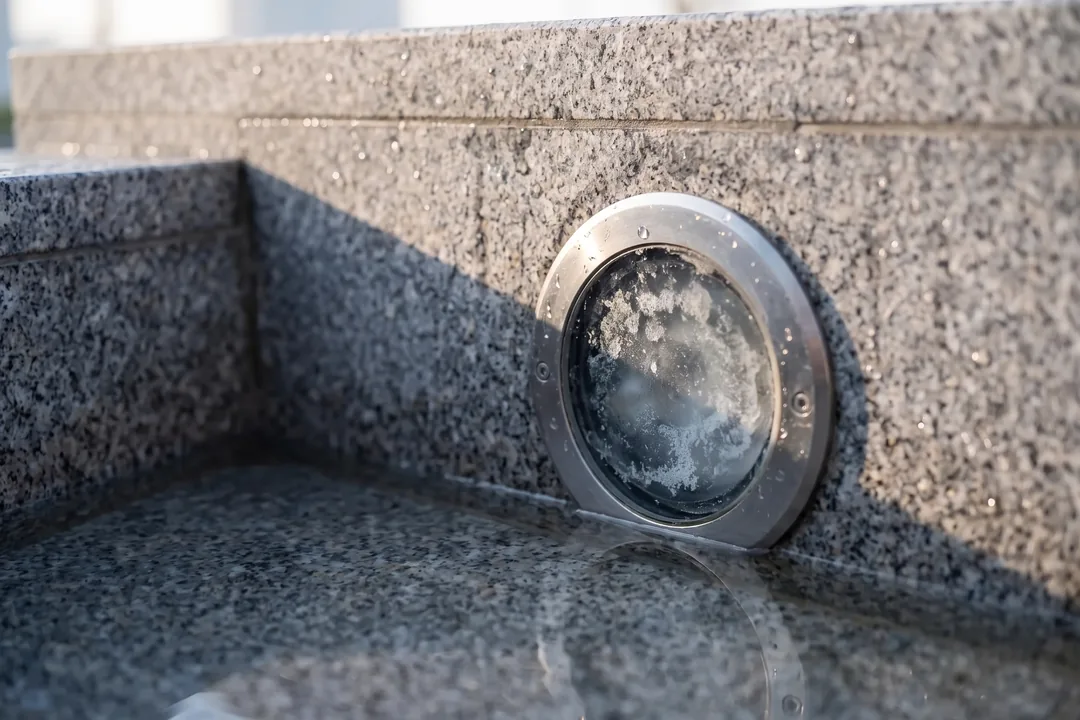
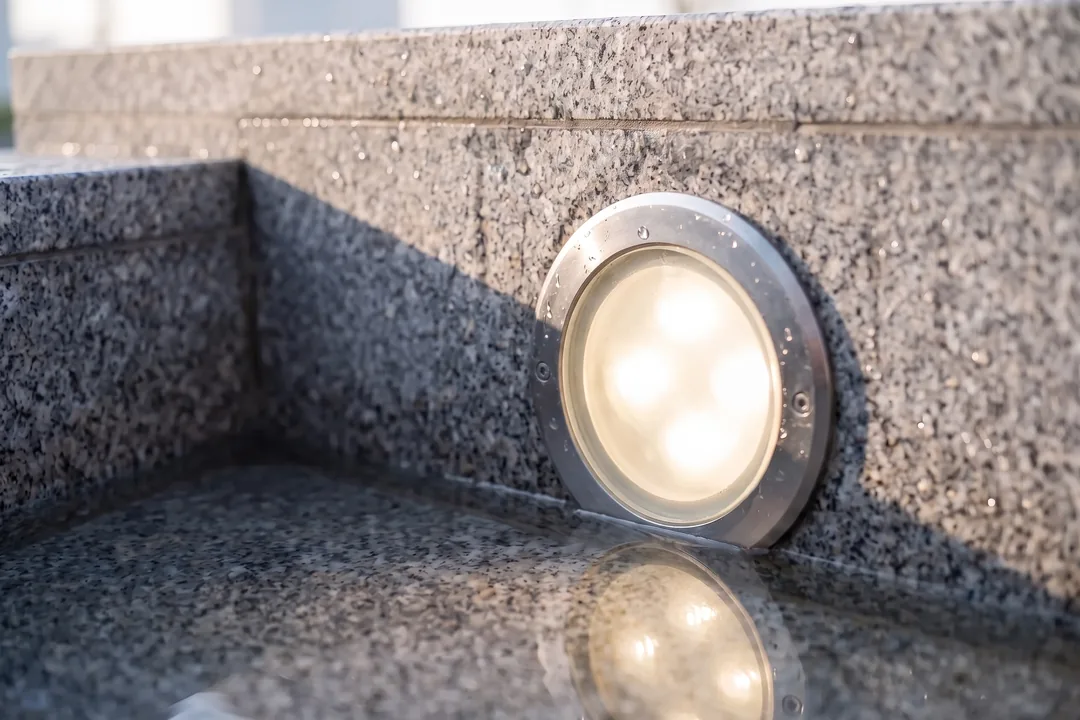
- Basin lowered, fixture niche made safe
- LED fixture 6 replaced, lens resealed
- Basin refilled, lighting check logged
- Parts fitted
- Submersible LED fixture × 1
- Time on site
- 3 h 20 min
Technician’s note Fixture 5’s lens is starting to scale — worth a clean on the next visit.
Illustration · invented client · sample data
Service contracts
A year of weekly visits, approved once.
The plaza’s weekly service is quoted in the same way: a single Service Proposal covers the contract, each visit at its own price. Once your client approves it, every visit in the series is approved and placed on the Service Calendar.
- Every visit is its own record, carrying the contract’s price and work.
- Extra work found on a visit goes on the Service Invoice as its own lines or the hours logged.
- Any Service Proposal or Service Invoice prints or saves as a PDF.
Service Proposal · recurringWeekly service visits · Central plazaService Proposal approved
- Service visit, weekly52 visits × $185
A year of Tuesdays, one jet for each visit
Recurring series · approving this Service Proposal approves every visit in it.
Illustration · invented client · sample data
Payments
By card online, or however clients pay in your country.
In your settings, pick the payment methods clients can use. The list matches your country, and any details you add show on the Service Invoice email, so the accounts team at a hotel or a council knows how to pay you.
Payment methodsUS
Card payments online · at launch
Your country’s methods
- Zelle
- Venmo
- Cash App
- PayPal
- ACH transfer
- Wire transfer
- Check
- Interac e-Transfer
- PayPal
- Bank transfer
- Wise
- Cheque
- SPEI
- OXXO
- BBVA transfer
- Santander transfer
- Mercado Pago
- PayPal
- Bank transfer
- Nequi
- Daviplata
- Bancolombia transfer
- PayU
- Bank transfer
- Cheque
- WebPay
- Redcompra
- MACH
- Servipag
- Khipu
- Bank transfer
- PayPal
- Mercado Pago
- TodoPago
- Bank transfer
- Ualá
- Rapipago
- PIX
- Boleto Bancário
- TED/DOC
- PayPal
- Mercado Pago
- Bank transfer
- PicPay
- Faster Payments
- BACS
- Monzo
- Wise
- Revolut
- SEPA transfer
- PayPal
- Bank transfer
- Revolut
- SEPA transfer
- PayPal
- Bank transfer
- Lydia
- Revolut
- Bizum
- SEPA transfer
- PayPal
- Bank transfer
- Revolut
- MB Way
- SEPA transfer
- PayPal
- Bank transfer
- Multibanco
- Revolut
- PayID
- BPAY
- PayPal
- Bank transfer
- POLi
- Bank transfer
- PayPal
Shown for the market picked at the top; the live site follows where you are.
History
Every step of the repair, on its record.
Every action, with who took it and when — whether you, your client or the system. If an accounts team wants to know what was approved and paid, the answer sits one tab away.
HistoryLED fixture replacement
- YouService Proposal sent
- ClientProposal viewed
- ClientService Proposal approved
- SystemDeposit requested
- ClientDeposit paid
- YouWork started · email sent to the client
- YouWork completed · email sent to the client
- ClientBalance paid · paid in full
- SystemPayment confirmation emailed
Illustration · invented client · sample data
The rest of the work
The money side of the same record.
- The record behind the invoiceThe fault, the action taken, the water chemistry log and the Water Feature Report your client keeps.See the records
- Book what was approvedEach visit of an approved contract is put on the calendar; if one changes, your client is notified.See the Service Calendar
- Water feature service companiesOwners, operations managers and technicians who keep fountains, water walls and splash pads running for clients.See who it’s for
Questions
About proposals, deposits and invoices
Can I use this today?
Cascalto opens soon. At launch it includes Service Proposals, deposits, Service Invoices and payment records; the scenes here are illustrations, and the client is invented.
Is the Service Invoice sent automatically?
No. It is built from the job’s lines, so nothing is entered twice, and your client gets it only once you have reviewed it and pressed send.
Can I take a deposit before ordering a pump or a fixture?
Yes. Add a deposit to the Service Proposal, either a fixed amount or a percentage. You book the job once your client has paid; until then it stays in Awaiting Deposit.
Can my client pay by card?
Online card payments are planned for launch. You can also accept the methods clients use in your country, and each payment is recorded against its invoice.
Can I bill for extra work found on a service visit?
Yes. Add the parts and hours to the job; each appears as a separate line on the Service Invoice, letting your client see all of them before paying.
Founding access
Quoted once, approved, paid — on one record.
Founding access is open for water feature service companies preparing for launch: give your name and a work email for launch updates, and we confirm by email first.
Launching with a 14-day free trial. No card needed.
Coming soon
Claim founding-customer access